Sunday, October 31, 2021

Understanding What is Assessment and Accountability


Assessment Calculation Estimate Evaluate Measurement Concept

Standardized testing and assessment will always be part in the education system.

Assessments play an important role for schools, teachers and in student lives; they collect data for the teacher and measure the students’ knowledge in a specific content area. Assessments can usually be done after a lesson and be in the form of a presentation, portfolio, multiple choice quiz, or group work. Standardized testing happens every year and provides useful information for the education system and for families such as measuring a student’s learning and school performance.

 Every Students Succeeds Act (ESSA) is there to help improve students’ outcome. The four goals are to recruit, support, and retain teachers and principals, to build a foundation of reading and math, to connect high school to career and college, and lastly, to improve low performing schools (TEA, 2017). The ESSA gives Texas Education Agency (TEA) different options on decision making when it comes to accountability, school improvement, teacher quality, and funding back to state and local level. The good thing is that TEA is trying to do their best to come out with a system that support ESSA implementation with the new TEA Strategic Plan. The plan is to lead greater levels of student’s achievement throughout our state (TEA,2017).

During Obama’s presidential years, he announced a testing action plan to restore balance in classroom by ensuring fewer, better, and more fair tests (Every Students Succeeds Act, n. d). The outcome of the Testing Action Plan that U.S Department of Education supports state in the implementation of the (ESSA) in to promote a well-rounded education for every student while ensuring critical protections and equity of opportunity for all students. In agreement with Every Students Succeeds Act, I believe it is a great idea to provide better and fewer tests, but I still strongly believe that a test does not determine your intelligence; testing is not everyone. It is just a test that the schools need to view how much you have learned. According to Every Students Succeeds Act, too much focus has been placed on the testing, educators, and parents. Students have the right to highlight the need for more creativity and innovated learning.

The ESSA also provides several new flexibilities to help states develop innovative approaches to assessments and reduce duplicative and unnecessary testing. There is still much more that I need to learn from assessment, especially accountability. I will provide some videos that could help me better understand this topic of accountability. 


References

Every Students Succeeds Acts  (n.d.). U.S. Department of Education. https://www2.ed.gov/policy/elsec/leg/essa/essaassessmentfactsheet1207.pdf


Answers in about a minute: A-F closing the gaps domain. (2018, August 8). YouTube.

            https://youtu.be/-5xjO10MESM

Photo  https://www.shutterstock.com/image-photo/assessment-calculation-estimate-evaluate-measurement-concept-294781811

Results driven accountability (RDA) 2021 rule proposal overview. (2021, June 23). YouTube. https://youtu.be/7lLyryPR_Sg

TEA. (2017, July 27). Every Student Succeeds Act - State overview. YouTube. https://youtu.be/h_uLySg9o1Y


Wednesday, September 1, 2021

Digital Assessment Resources


Magnifying glass showing assessment word on grey background

    While this pandemic changed the world, it also changed the forms of technology with it. Digital technology has been evolving for quite some time and has a vital role in our daily lives. During our day jobs, it can be used at work to communicate, gather information, or solve problems. It also helps individuals connect with their family and friends or play games and interact with people through social media. Leading technology has also become essential in society and any job field, especially in the education system. Technology has brought a new lifestyle to humankind with its many advantages, such as communication. For instance, schools are using technology for learning purposes and can create lesson plans, communicate, and even conduct digital assessments. A digital assessment is a form of communicating with students to receive instant feedback about their learning, which further guides and helps students understand their knowledge. Edpuzzle, Go Formative, and Explain Everything are assessments that can help track student progress, intervene when needed, and observe what they learned (Bell,2021).I will provide some link for each digital assessment under the references that will have more information on how you can use it in the classroom. 

Allows you to choose any video of your choice and trim it. Turn it into a quick assessment by inserting a quiz and tracking students’ progress. . I found this blog that was interesting called 6 way to use Edpuzzle in elementary classroom I will provide the link https://blog.edpuzzle.com/edtech/edpuzzle-for-elementary-students/

Go formative

Is a free online assessment tool that is very robust. Formative allows teacher to choose premade assessment and edit to fit their student’s needs, create their own from scratch, or even upload a PDF or doc to create. they also offer some fantastic data that you can track intervene when needed. I will provide a link under references on some tips you can you use Go Formative https://help.goformative.com/en/articles/3873194-tips-for-engaging-students-in-live-virtual-instruction


Explain Everything

 is an easy-to-use online white board program that can be used on any device. students can quickly create a video summary in which they can present the most important things they learned and what questions they may still have. 


References

Bell, K. (2021, July 6). 27 formative assessment tools for your classroom. Shake Up Learning. https://shakeuplearning.com/blog/20-formative-assessment-tools-for-your-classroom/

Formative for teachers - www.GoFormative.com. (2016, January 7). YouTube. https://youtu.be/keB7CkAgT5E

Getting started with "EdPuzzle" Tutorial. (2020, March 25). YouTube. https://youtu.be/emS5JGciwuI

The tour of explain everything interactive whiteboard. (2019, April 29). YouTube. https://youtu.be/FTCxtUyPZHk

Explain everything how to video for the classroom. (2017, May 1). YouTube. https://youtu.be/1J4ZDB327IE

picture https://image.shutterstock.com/image-illustration/magnifying-glass-showing-assessment-word-600w-142827652.jpg

video link for Go Formative https://help.goformative.com/en/articles/3873194-tips-for-engaging-students-in-live-virtual-instruction 

Video link for Edpuzzle https://catlintucker.com/2015/06/flipped-classroom-engaging-students-with-edpuzzle/

https://support.edpuzzle.com/hc/en-us/articles/360012143932-How-to-flip-your-classroom-with-Edpuzzle

https://blog.edpuzzle.com/edtech/edpuzzle-for-elementary-students/

Friday, August 6, 2021

My Multimedia Reflection

                Background concept wordcloud illustration of multimedia

This blog is a reflection on the endeavors of my five-week summer class called “Advanced Applications of Media and Technology”. We all know that technology is being used in everyday life, and we know that students and schools are now using laptops, tablets, and even smartphones to help with learning. This class was perfect for me because it taught me different ways to use technology. 

As a future educational instructional technologist, this class of technology has made my learning more enjoyable. I have learned about many different kinds of applications of digital media as well as models and video, audio, visual and software applications. This class has helped me on how to use technology effectively and how to help students be engaged while presenting information to them and stakeholders. My philosophy of technology integration is to help stakeholders improve their knowledge and understanding of media and also the material being presented. This class has showed me how to show students or stakeholders the different uses of digital applications and program softwares. It will help the student be more involved with technology, which in turn, allow them to have endless opportunities in the work field as well as for me. I learned so much and I’m still learning how to use all the material that was presented. It could be a bit overwhelming but taking it step by step is the key.

While working on my multimedia project, there were vast number of software to use. It takes time and effort to explore the endless possibilities and my weakness will become my strength through my trial and errors. The tools I decided to use to help aid for my project were two application. One was Microsoft’s PowerPoint, and the other was Prezi. Both applications were friendly and guided me on the concept and ideas I want to implement. The Mayer’s Principle I decided to use was my voice instead of a machine voice. Mayer’s suggest the people learn better when it is a human voice. This is called voice principle. The next principle I used were words and pictures, Mayer’s principle believes that people learn better from words and pictures than rather just words alone this called the multimedia principle. The last one I use is breaking everything into smaller chunks which is called segmenting. Also, the fonts, color and spacing all have an important asset to the presentation as well. It is crucial for me to know how to use technology to help facilitate learning. Like Benjamin Franklin said, “He that can have patience can have what he will”. Here is my multimedia project and I hope you enjoy it.


References

Benjamin Franklin quotes (Author of the autobiography of Benjamin Franklin). (n.d.). Goodreads | Meet your next favorite book. https://www.goodreads.com/author/quotes/289513.Benjamin_Franklin#:~:text=%E2%80%9CTell%20me%20and%20I%20forget,involve%20me%20and%20I%20learn.%E2%80%9D&text=%E2%80%9CHe%20that%20can%20have%20patience%20can%20have%20what%20he%20will.%E2%80%9D

How to use mayer’s 12 principles of multimedia learning [Examples included]. (2020, July 24). Water Bear Learning. https://waterbearlearning.com/mayers-principles-multimedia-learning/

Shutterstock https://image.shutterstock.com/image-vector/abstract-multimedia-background-connected-color-600w-281256962.jpg

Tuesday, August 3, 2021

Learning Andragogy A Different Way of Learning

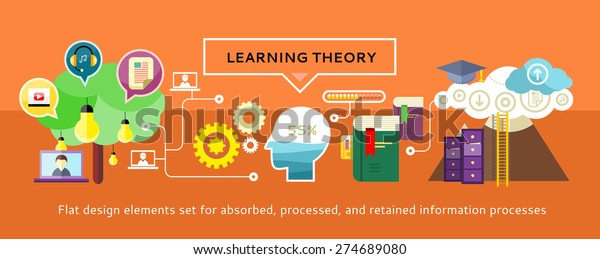
Study at the university, learning theory. Education with the teacher for all. Education icons on banner. Can be used for web banners, marketing and promotional materials, presentation templates

Learning is part of life and is something that everyone needs in some way or another for the rest of their life. Adults and children have a unique way of learning. Studies about how learning occurs is something that will never go away. There are many theories that are excellent tools that can help adult learning in many different ways. For example, Andragogy is the art and science of helping adults learn. Malcom is the father of adult learning and laid the foundation which are Self -Concept, Experience, Willingness to learn, Orientation, Motivation to learn, the need to know (Malcom Knowles, 2006). 

There are three articles I found that could be useful for the future. The first article is called “Adult learning Strategies to Improve Knowledge Retention”. It explains how to improve knowledge retention for adult learning and is broken down into four sections which are “How the brain works”, “The Theory of Andragogy”, “Strategies to Aid Retention”, and “Last Experience”. The second article is entitled “Andragogy Theory”, and it is an outline of Malcolm Knowles's main point assumptions about adult learners which are the desired outcome of adult learning and the key factors found in successful adult learning programs. The last article is called “What is Andragogy”. This article is right to the point of what Andragogy is and briefly talks about the implications for the adult learner and for facilitators for adult learning. 

Overall, adults have a different way of learning and it could be because they are older, but the desire to learn will always be there in some way or another. The way learning information is received is part of the learning process and can be used throughout life for overall success. Like Michelangelo said, “I’m still learning”. I will also provide a links to the article and including the videos below for future reference if needed.  


References

Adult learning strategies to improve knowledge retention. (2021, July 27). Sales Enablement PRO. https://salesenablement.pro/expertise/adult-learning-strategies-to-improve-knowledge-retention/

Kurt, S. (2020, July 11). Andragogy theory - Malcolm Knowles - Educational technology. Educational Technology.https://educationaltechnology.net/andragogy-theory-malcolm-knowles/

Malcolm Knowles. (2006, January 24). Wikipedia, the free encyclopedia. Retrieved August 3, 2021, from https://en.wikipedia.org/wiki/Malcolm_Knowles

Michelangelo | Famous last words. (2013, April 13). Sites at Penn State - WordPress | powered by WordPress. https://sites.psu.edu/famouslastwords/2013/04/13/michelangelo/

What is andragogy? Less than 100 words. (2020, October 26). Roundtable Learning. https://roundtablelearning.com/what-is-andragogy-less-than-100-words/

Video link https://youtu.be/UgNeWsbKDUY

Video link https://youtu.be/oqNflAZAiJQ


My View on Professional Developemnt


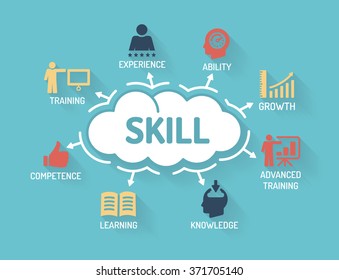
            Habilidad - Gráfico con palabras clave e iconos - Diseño plano

When reflecting on my student teaching experiences, I did get the chance to go to a professional development. I did overhear teachers complaining that they did not want to go and that it was a waste of time which lead me to think that is was going to be boring. However, beside all the negative thoughts, I was still was excited to go. This was because it was a learning experience.  As I arrived at the professional development, I noticed that each school was divided into sections. I also noticed that not everyone was friendly, and their egos were very high. I see can why teachers did not like going. In my opinion, attitude is something that is so important. For myself, having a positive attitude changes the environmental setting. The information that is presented is so vital, you want it to be engaging, fun, and focused on the need of your students. In my opinion, it is important to learn to problem solve and work together to ensure all students achieve success.

Looking back on the professional development, the lack of engagement is awful for teacher as well as for students. I believe teachers needs to the be engaged just like students so that educators can provide the same level of engagement to their students. Teachers are the same as the students, they learn in many different ways and will respond differently to visual, auditory, and kinesthetic learning.

 As for it being my first time going to a professional development, I may have not learn much, but I can honestly say that I took with me different ways on how to improve a professional development. One thing is by conducting a survey for teachers to see what they would like to learn in a professional development. I will also have the teachers break into groups based on subject area or grade level, so they can brainstorm and talk about ideas such as how to apply what they learned to their specific department, make sure that the professional development is geared to what is developmentally appropriate for that group age, and lastly, help personalize the teacher’s learning with a professional development plan. Those are some ideas I learned just by observing the professional development. Their still many more ideas out there that the school district could help improve professional development. I will provide two  link to professional development.


Crecimiento personal. Gráfico con palabras clave e iconos


Reference 

photo link https://www.shutterstock.com/es/image-vector/skill-chart-keywords-icons-flat-design-371705140

photo link https://www.shutterstock.com/es/image-vector/personal-growth-chart-keywords-icons-498037825         

professional development link https://youtu.be/Cj0_Be2MqHs         

professional development link https://youtu.be/mG7fXp5BmOE

Sunday, August 1, 2021

Incorporating Technology with Administrators


Soporte remoto en línea. Acceso remoto y control de computadoras de escritorio o portátiles a través de conexión a Internet. El administrador del sistema ayuda a los clientes, los empleados solucionan problemas, el software de configuración, el equipo.


When reflecting on my past experiences, which is my student teaching, all I can say is that technology was not emphasized as much as I would have liked it to. I felt that the focus was more on getting the students ready for the STARR exam, which is important, but I believe there is much more to it than that. I do believe that, if the school would prepare students more with the use of technology, the students would not have struggled as much during online learning when this pandemic hit back in 2020. 

I believe technology being integrated into the curriculum is a wonderful idea, but I also believe everybody on the school staff has to be on board especially our leaders because they are the ones who can do anything for our students, besides educators. One way our school leaders can start is by purchasing learning software to improve learning and emphasize computer learning skills. In my opinion, leaders should lead by example and have strong characteristics such as being compassionate, trustworthy, having communication skills, and being able to inspire and collaborate with others. Once that has been set teachers would be able to be integrating technology into the curriculum. 

I will provide a video link on how learning is happening right now. This video for me proofs that there is still more to learn about technology, the need to teach our future students about technology and the importance of getting educators on board on this journey with technology.


References

picture link https://image.shutterstock.com/image-vector/remote-support-online-remotely-access-600w-1331918702.jpg


Video link https://youtu.be/nA1Aqp0sPQo

Saturday, July 31, 2021

Multimedia Application Examples


Businessman touching hand-drawn multimedia presentation with his finger on blurred background


Creating a multimedia project is not hard at all. It may seem overwhelming due to the fact that there is a vast amount of software to use. All you need is a computer, software, and creativity. Creating a multimedia project is like a puzzle, it is important to stay organize and work in sections so you know what applications you would want to use for your project. When working on multimedia it is important, to begin with writing the content of what you want on your multimedia. This will help you design your picture and help you decide what software’s to use. The software is an important aspect of your project because the software tells your computer what to do. 

As I work on my multimedia project assignment, I felt good. Having different options gives you an opportunity to explore software and does not limited you to what you can use. With all these options, it gives me a chance to work on my creativity. It empowers me to work even more on my ideas. Sometimes it can be a bit overwhelming but staying organized will help you with your ideas. All the options that were provided to me were good because they gave me a chance to think of what I can use .it was a great starting point to designing a multimedia media project.There are many applications that can be used. For instance, you can use video, audio, stock photos, and animations for your project. In addition to working on my project, I came upon some products that will help me with my multimedia. Prezi is an application that gives me the opportunity to add these elements to my multimedia project. What I like about this application is that it is easy to use and you can even incorporate your voice as your audio, add pictures seamlessly, and your written ideas can easily be added to the Prezi application. What is cool about the Prezi is that you can also use animation on it.

When it comes to stock photos, PowerPoint is something to consider. It gives you a chance to look online within the PowerPoint application and it is easy to insert. It also has a section where you can use your voice to record your narration and you can also add animations. There are many things you can do with PowerPoint once you get familiar with it. 

Another application I came upon is Freepik.com. I like this application because it gives you a vast amount of vector images to choose from and you can reshape them exactly how you want to use them and you can actually have the vectors make movements like walking, waving, jumping, and even talking.

Panopto is another application that you can use to record yourself and you can even use animations and images while you talk. I can see teachers and instructors incorporating this by recording your lesson and adding images to engage your students in your presentation. Panopto is another application to consider when planning your lessons.

Toon Boom Harmony is an animation application that is friendly and easy to use. You can actually incorporate any type of stye of 2D or 3D animation.  It even tells you how fast you want animation to be. This software offers many tools and features that makes your project come to life. 

In addition to these applications, I found two more that were pretty interesting. One is called Pencil 2D. This application is free and is an open source which allows you add features, and you can even add vectors and audio effects that focus on your animation as well. The second application that I really love is Cartoon Animator. Whether you are a beginner or experienced, this application is right for you because it allows you to choose from a vast collection and apply different movements to your animations. You can also add color, lip and facial syncing, and it is easy to file.

Overall, any application that you use will make your presentation come to life. I will provide some videos that can help you better understand how to use each one of the applications I talked about on this paper.

 Prezi

                                                                     Freepik

Powerpoint Animation

Toon Boom 

Cartoon Animation 

Pencil 2D 


References

12 best animation software for beginners (Premium, free, and online). (2020, December 22). GraphicMama Blog. https://graphicmama.com/blog/best-animation-software-for-beginners/

Video links  Prezi https://youtu.be/a-_yOjHUg_E

Video link Freepik https://youtu.be/75esqVAk9po

Powerpoint Animation https://youtu.be/kw_udjD2xwo 

Toon Bloom https://youtu.be/MI65MRdKfIY

Cartoon Animation https://youtu.be/g1XJ2WAw7G8

Pencil 2D https://youtu.be/nCX55XLx1F0


Final Digital Assessment Blog

Final Project Blog Link Posting Ed 6380 Digital Assessments of Learning Dr. Wallace Edith Trevino Introduction Technology has brought a new ...